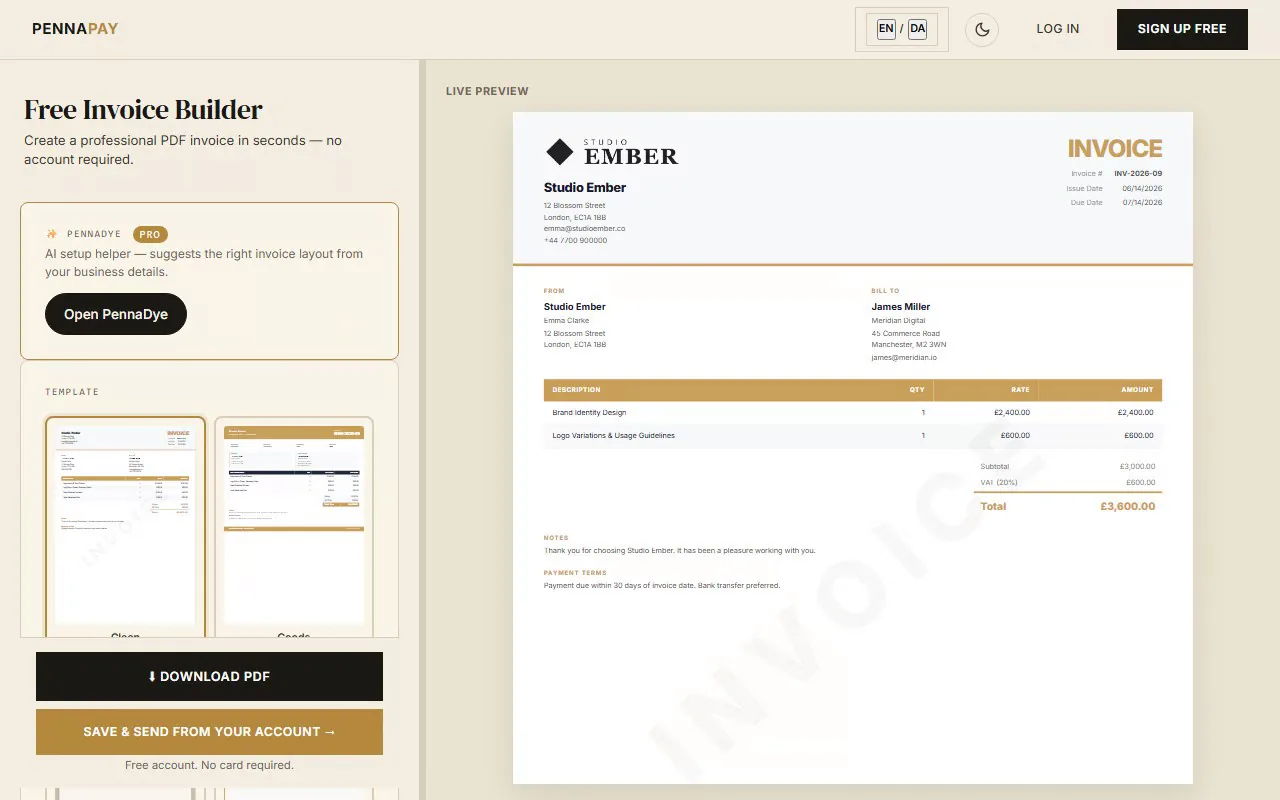
A proper invoice protects you legally and helps you get paid faster. Make sure yours includes:
Invoice immediately on completion
Don't wait days after finishing a project. Send your invoice the same day the work is delivered. Clients are most motivated to pay when the work is fresh in their minds.
Set clear payment terms
Always state your payment terms on the invoice — "Net 14" or "Due within 30 days". Include late payment fees if you charge them. Add these to the Payment Terms field.
Use an invoice number
Always number your invoices sequentially (INV-001, INV-002…). It makes tracking easier, looks professional and is essential for your tax records.
Keep a copy for yourself
Save every invoice you send. With PennaPay Pro, all invoices are stored in your dashboard. They're also required if you're ever audited or need to prove income.
Live preview as you type
See exactly how your invoice looks in real time. No guesswork — what you see is what you get in the PDF.
Instant PDF download
Download a professional PDF the moment you're done. The free plan carries a small "Made with PennaPay" footer — upgrade to Pro to remove it.
Multi-currency & tax
Invoice clients in GBP, USD, EUR and 30+ currencies. Add VAT or local tax with a configurable label and rate.
Send directly to clients
With a free account, email the invoice PDF directly from PennaPay — or share a client portal link for a slicker experience.
Invoice dashboard
See all your invoices in one place. Track what's draft, sent, paid and overdue. Know exactly where your money is at all times.
Recurring invoices
Have regular clients on retainer? Set up recurring invoices — weekly, monthly, or quarterly — and PennaPay creates them automatically. Pro feature.
Frequently asked questions
Is this freelance invoice template free?
Yes, 100% free. You don't need an account to use the maker and download your PDF. Sign up for a free account if you want to save invoices, manage clients, or email invoices directly.
How do I add my bank details to the invoice?
Use the "Payment terms" section at the bottom of the invoice maker. Add your IBAN, sort code, account number, or PayPal address. It will appear at the bottom of the PDF.
Can I use this for international clients?
Yes. PennaPay supports 30+ currencies including GBP, USD, EUR, CAD, AUD and many more. Select the currency for each invoice individually.
Do I need to charge VAT as a freelancer?
It depends on your country and your annual turnover. VAT registration thresholds and rules vary by country — check with your local tax authority to find out when registration becomes mandatory. Until you're registered, set your tax rate to 0% in PennaPay. Always consult an accountant if you're unsure.
Can I save my details so I don't have to re-enter them each time?
Yes — with a free PennaPay account, your business profile (name, address, email, tax number) is saved and pre-filled on every new invoice. Pro users can also save client profiles.
What's the difference between the free and Pro plan?
The free maker is unlimited with no signup. If you create an account, the free plan keeps 5 saved invoices at a time — delete and recreate as often as you like. Pro (€12/month) gives you unlimited saved invoices, all 15 templates, saved client profiles, logo upload, recurring invoices and more.